The small piece after the dot
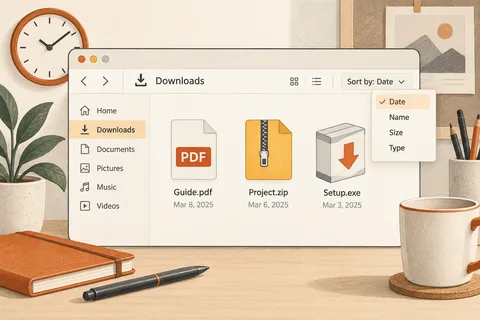
An invoice may be a PDF, a spreadsheet an XLSX file and a photograph a JPG. The extension after the final dot gives Windows a clue about the file type. When extensions are hidden, different kinds of files can look surprisingly similar in one folder. Seeing the complete name is particularly helpful when dealing with attachments.
In File Explorer, enable File name extensions under View and Show. The precise menu arrangement depends on the version. Then inspect a familiar folder. You do not have to rename anything to reveal the extensions. This changes how filenames are displayed, not the contents stored inside the files.
Know where a rename should stop
To change Holiday.jpg into Summer-holiday.jpg, edit the descriptive part and leave .jpg in place. Accidentally removing the suffix can interfere with the application association. If you know the original extension with certainty, it can be restored. A warning about changing an extension is therefore worth reading before you confirm the rename.
Renaming a file does not convert it. Giving a PNG image a .pdf suffix does not create a PDF document. Use a suitable application's export or save function, then check the result. Retain the original until you know that the new file includes everything required and opens correctly for its intended recipient.
A filename does not prove origin
A visible extension does not guarantee a safe file. A name such as Offer.pdf.exe actually ends in .exe. Do not open an unexpected executable merely because the first part of its name looks familiar. Consider who sent it and whether you expected it. A known organisation's name in the filename is not evidence that the organisation created it.
For an unfamiliar extension, first identify the application that produced the file. Ask the sender for a common exchange format if appropriate. A website offering a special opener for every unknown file is not a necessary next step. Nor should confidential documents be uploaded indiscriminately to online conversion services.
For your own filing, keep a simple distinction: the name describes the content, while the extension describes the format. Budget-draft.xlsx is clearer than several extra format labels embedded in the name. Keeping both parts visible makes the file easier to understand before opening it, without treating its name as a guarantee of what lies inside.
A delivery containing several file types
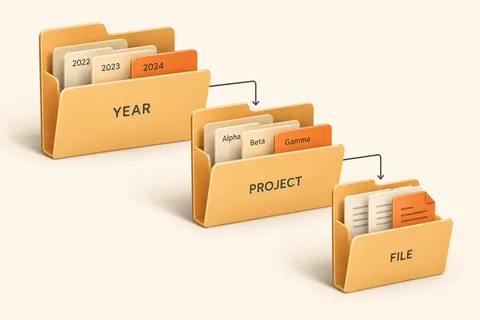
Suppose a folder arrives containing a presentation, a PDF copy and several pictures. With extensions hidden, two entries may display the same apparent name. Reveal the suffixes and establish which item is editable and which was exported for distribution. The larger file is not necessarily the original. Nor does its icon establish where it came from: icons can change when a different application is installed or assigned to that type.
An unexpected attachment with a double extension, such as Invoice.pdf.exe, deserves particular attention to its final suffix. Do not open it simply to discover whether it contains an invoice after all. Check the delivery through a known contact route. An ordinary PDF suffix does not guarantee safety either; the sender and reason for delivery still matter. For your own outgoing documents, open the exported copy and check its complete filename before sending it. If the intended result was a PDF, having those letters somewhere in its name is not sufficient.
For an unfamiliar type, begin with the documentation for the application that supposedly produced it. A random website demanding an immediate software download is not reliable identification. Some unfamiliar files are companions that must stay with the main document rather than be opened independently. Retaining the original folder until its contents are understood avoids separating pieces that the application needs together.