Describe the frustration precisely
An old computer does not need replacing simply because it is old. It needs a decision based on what prevents useful work. Write down the problem in observable terms: the browser pauses when several applications are open, a project takes too long to export, or the battery no longer lasts through a meeting. Each description suggests a different investigation. The word slow hides too many possibilities to guide a purchase.
Check whether the problem started suddenly. A full drive, a new background application or a damaged cooling system can change behaviour without making the entire platform obsolete. Establish a backup before repair work, then look at resource use during the troublesome task. A short record of the symptom and when it happens helps distinguish a capacity limit from a fault.
Find the upgrade that is actually possible
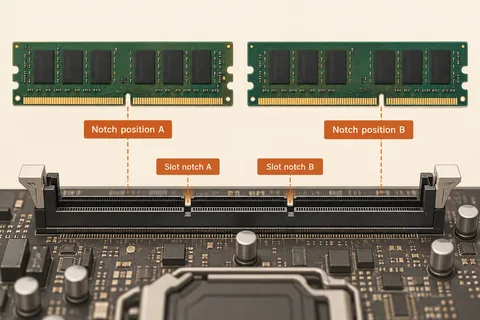
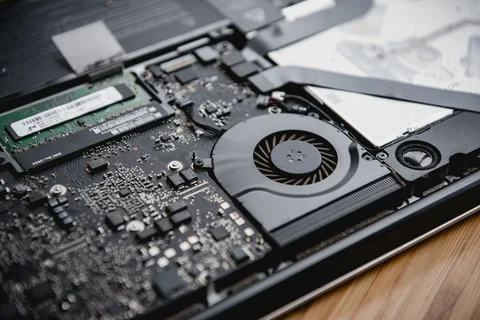
The service manual determines what can be changed. Memory might be soldered, a drive bay might accept only a particular format, or a desktop power supply might use proprietary connections. Do not buy a component from a generic upgrade list before confirming the exact model. Include tools, installation labour and any migration equipment in the estimate.
Some improvements are narrow but worthwhile. Replacing a failing battery restores mobility without changing processor speed. Adding compatible memory may improve multitasking when capacity is the constraint. Neither operation solves every complaint. Define the expected result before spending money so you can later decide whether the work succeeded.
Add the costs that arrive together
A processor upgrade can require a new motherboard, different memory and a cooler. Once several parts change, the comparison is between platforms rather than individual components. Include the time needed to rebuild, reinstall or reactivate software, and check whether existing peripherals remain suitable. A cheap component may produce an expensive project when the surrounding requirements are ignored.
Replacement has hidden costs too. Files need transferring, applications need installing and a new keyboard or port arrangement may require adapters. Some of those tasks are manageable; others disrupt work. Keep a migration list alongside the hardware prices. If the old computer remains usable, allowing both machines to overlap for a few days can make the transition easier.
Support can settle the question
Consider the operating system and applications you need during the expected remaining life. A device that cannot run a supported environment may be a poor investment even if a memory upgrade is inexpensive. Conversely, a supported machine with one clearly identified limitation may deserve a modest repair. Check current requirements directly with the relevant vendors rather than relying on its original specification sheet.
Set a spending ceiling before opening the case. Compare the proposed repair with a complete replacement that meets the same workload, including warranty terms and likely maintenance. Avoid repeatedly authorising small repairs without reviewing their cumulative cost. A written ceiling makes it easier to stop when the project changes character.
Finally, decide what will happen to the old hardware. Retain it until the replacement and backups have been verified. If it will be sold or recycled, follow an appropriate data-removal procedure and remove accounts and ownership locks. The last useful step in a replacement project is ensuring that personal information does not leave with the computer.
A repair budget with two possible outcomes
Consider a hypothetical laptop that feels cramped during photo work and no longer lasts away from a socket. Separate those complaints in the estimate. The memory configuration may be fixed, while the battery may have a documented replacement route. Paying for a battery would restore travel time without changing the editing limitation. That can still be worthwhile if most editing happens on another computer, but it is a poor answer if the laptop must perform both roles for several more years.
Ask for a price that identifies parts and labour, then compare it with the cost of a replacement meeting both needs. Keep a third option visible: repair only the mobility problem and change the workflow. The decision is not always between doing everything and discarding the computer. A limited repair is sensible when its limitation is understood beforehand.
Write the expected outcome beside each cost. This turns a vague argument about whether an old computer is worth saving into a comparison of useful results. If inspection reveals another expensive fault, revisit the whole calculation before approving it.