Check the computer before comparing drives
An NVMe SSD is not simply a faster SATA SSD that can be fitted anywhere. The connection to the computer differs, and the device must support the relevant interface. Start with the manual for the computer or motherboard rather than a retailer's speed filter. Write down the exact model and the specification of the available storage connector.
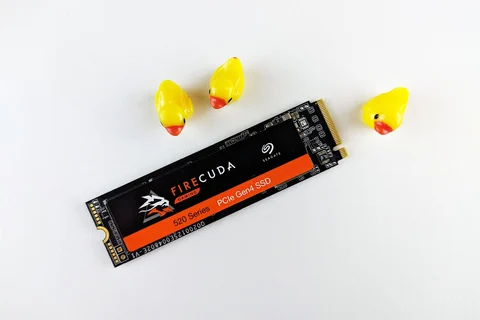
M.2 is a frequent source of confusion because it describes a physical format rather than guaranteeing a particular storage interface. M.2 drives can use SATA or NVMe. A socket that looks suitable is not proof that both will work. Length, mounting position and clearance matter as well. A tall heatsink can prevent a laptop's cover from closing even when the underlying drive is electrically compatible.
What the headline speed measures
A sequential read figure describes a particular kind of access to contiguous data under particular conditions. Everyday work includes many other operations. An application may be waiting for small files, decompressing data or fetching something from a network. A large numerical difference between two product pages therefore does not translate directly into the same difference in application launch time.
NVMe's additional bandwidth can help with suitable large transfers. The other end of the transfer must keep up, however. Copying to a slow external hard disk leaves that disk responsible for much of the wait. A nearly full drive or a long write operation may also behave differently from a brief benchmark on an empty device.
SATA can still be the appropriate answer
If an older computer only has a SATA connection, a compatible SATA SSD is not a poor choice merely because newer interfaces offer higher figures. What matters is the upgrade that this computer can actually use. Moving an operating system from a mechanical hard disk to an SSD can be more noticeable in daily work than moving between two SSDs.
For a newer machine with a suitable NVMe slot, consider capacity, supported connections, cooling and price together. Do not buy a bulky heatsink before checking installation requirements. Some motherboards already provide an appropriate cover, while compact computers may leave very little space above the drive.
If the real problem is simply a lack of room for photographs, replacing the system drive may be unnecessary. Another compatible drive or a separate archive could solve it more directly. Before ordering, identify which files will live on the new storage and how the computer will reach it. That turns an abstract comparison of interfaces into a decision about the machine on your desk.