When the router runs out of sockets
A desktop, printer and network storage device need wired connections, but the router's LAN ports are occupied. An Ethernet switch can provide additional ports. For a straightforward extension of one existing home network, a suitable unmanaged switch is often enough. It does not automatically replace the router or the router's internet connection.
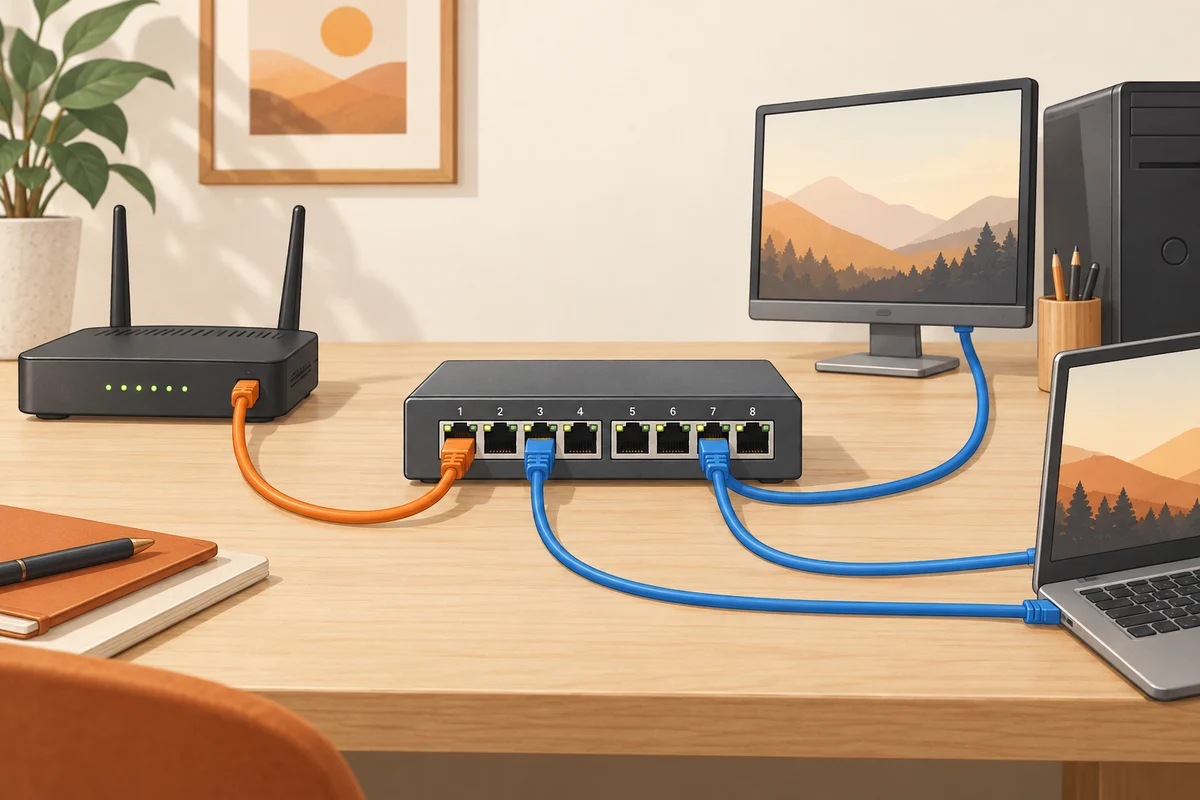
Sketch the router, switch and intended devices before connecting them. In a simple arrangement, one cable links a router LAN port to the switch, and the devices use other switch ports. Include that occupied port when counting capacity. A five-port unit does not leave five additional free sockets after its uplink is connected.
Follow the speed along the route
Check every relevant port's capability, not only the largest number on the box. Some devices have ports with different specifications. Several clients transferring towards the router share the link leading there. Traffic between two devices on the same switch may follow a different path. The activity determines which section matters.
A fast switch does not accelerate a slower printer interface or increase the internet subscription's capacity. It may still matter for large local transfers when computers, storage and cabling support the intended rate. Write down the links and their capabilities. That avoids upgrading one component and expecting an improvement that another part of the path cannot provide.
Do not add parallel cables speculatively
Avoid connecting a router and a simple switch with several parallel leads in an attempt to gain speed. Without explicitly supported and correctly configured mechanisms, loops can disrupt the network. A cable returning from one switch port to another port on the same switch is not part of an ordinary setup either.
Advanced features such as link aggregation and VLANs require suitable support and deliberate configuration. They are not prerequisites for adding a few devices to the same home network. If you genuinely need them, choose appropriate equipment and plan the structure accordingly. More settings do not automatically improve a small installation.
Consider power and location
A switch needs appropriate power and ventilation. Check whether a fan-equipped model suits the noise expectations of the workspace. For a few devices in a quiet room, that may matter more than a rarely used management function. Support cables so their weight does not continually pull on the sockets.
Power over Ethernet is a separate requirement. You need compatible ports and sufficient power budget only when suitable devices will receive power that way. Port count does not tell you how many devices can be powered simultaneously at a particular demand. Do not substitute arbitrary passive power equipment merely because the connector fits physically.
Add and check one device at a time
Initially connect the switch to the router and attach one client. Verify the expected network function before adding more. Label cables and record the connections. If trouble begins after one device is introduced, the last change remains identifiable. Moving an entire tangle of cables at once provides far fewer clues.
Finally, test the local connections you actually need as well as internet access. An illuminated port alone does not prove that every application can reach its intended destination. The installation is complete when the devices perform their required tasks and the cabling remains understandable for future troubleshooting. A modest diagram and clear labels can be more valuable then than remembering which socket happened to be nearest during setup.