Understand the gap in the floor plan
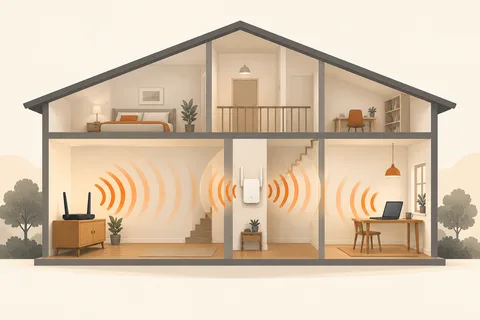
A study at the far end of the home receives poor Wi-Fi. Another mesh node looks like the obvious solution. Yet a node receiving a weak connection from the rest of the network cannot simply organise that weakness away. Plan two paths: from the laptop to the node, and from the node back into the network.
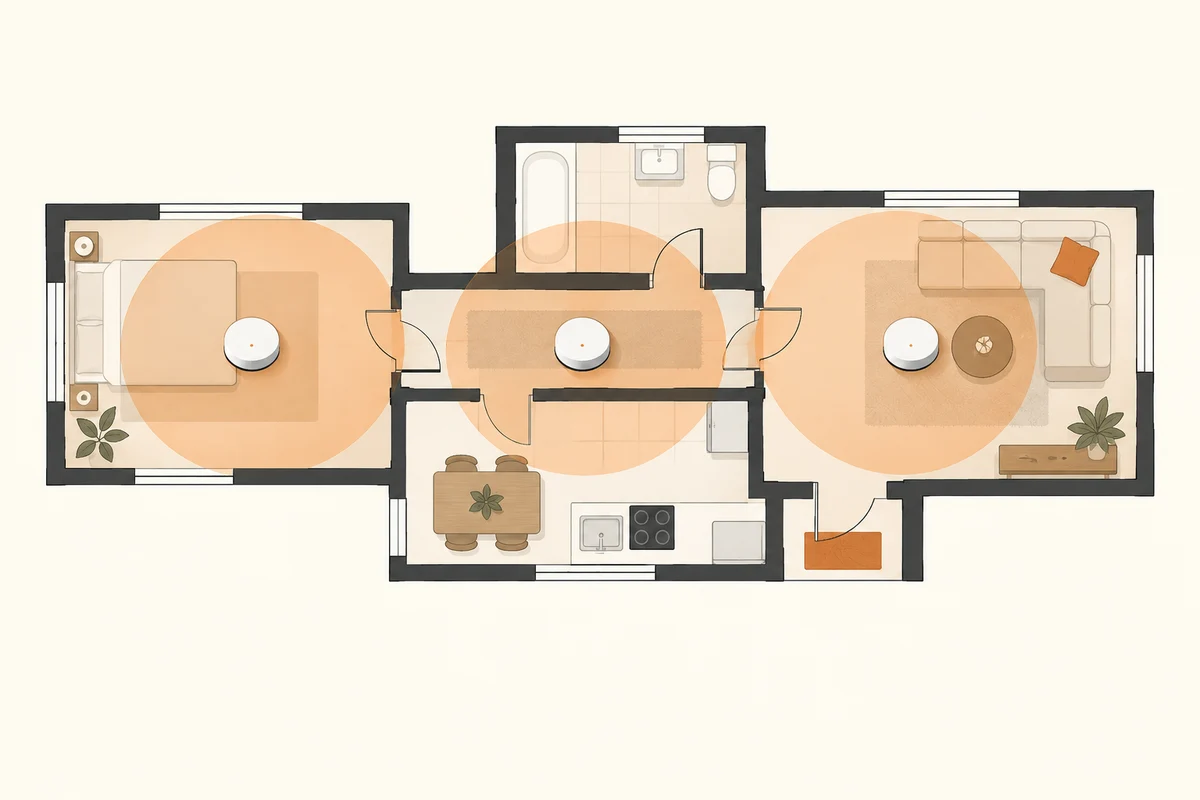
Sketch the important working locations, existing router and available power outlets. Mark substantial walls, changes of floor and areas where the connection already works well. Elaborate planning software is unnecessary. A simple drawing prevents choosing a package solely by an advertised coverage area when the building's shape is quite different from that implied by the number.
Start with links between nodes
For wirelessly connected units, place the additional node within a still-useful part of the existing coverage. It often belongs before the dead area rather than inside it. Use the manufacturer's status display or placement tool to inspect the link between units. The laptop's signal bars alone do not fully describe that return path.
If Ethernet cabling exists and the system supports it, wired backhaul can replace this wireless section. Check the documented network layout for the specific system. Router mode, access-point mode and the location of a switch can matter. Do not connect several sockets speculatively simply because spare cables are available.
Begin with a modest arrangement
Install the smallest arrangement that appears suitable and test the rooms actually used. More nodes are not automatically better. Closely spaced units may be unnecessary, while a poorly connected distant unit can remain disappointing. Move one unit and inspect the outcome before adding another.
Use a repeatable routine. Test at the desk, at another frequently used location and while moving between them. Note interruptions during an appropriate ongoing connection. One maximum download result beside a node does not establish performance while moving through the home. The client device also influences when it changes access points.
Consider the backhaul during representative activity too. Several devices transferring large amounts of data may share the same link between nodes. A system's name or antenna count does not automatically explain the capacity available in every layout. Read the particular model's description and relate it to the arrangement you are actually building.
Do not assume existing equipment integrates fully
Mesh does not guarantee that arbitrary routers from different manufacturers share all management features. Check explicit compatibility and supported operating modes. An older router might work as an ordinary access point without participating in every feature of the new system. That may be useful, but should be an intentional design choice rather than a surprise discovered afterwards.
Keep account details and the selected configuration understandable. If the new system supplements an existing router, establish which device manages the network. Two independently configured routers can create a structure different from the one intended. A comprehensible arrangement is generally more useful in a small home than the largest possible collection of enabled features.
Fix the locations after ordinary use
Leave the units in their proposed positions and use the network through several representative work periods. Then check that safe permanent cable routing and sufficient ventilation are possible. A technically ideal radio location in the middle of a frequently used shelf may not be a convenient long-term home for the equipment.
Record the successful setup in a small diagram showing which connections are wireless and which are wired. Later, you can inspect one section deliberately instead of rebuilding the whole network. Sound mesh planning begins with viable links and finishes with tested working locations, not with the greatest possible number of purchased nodes.