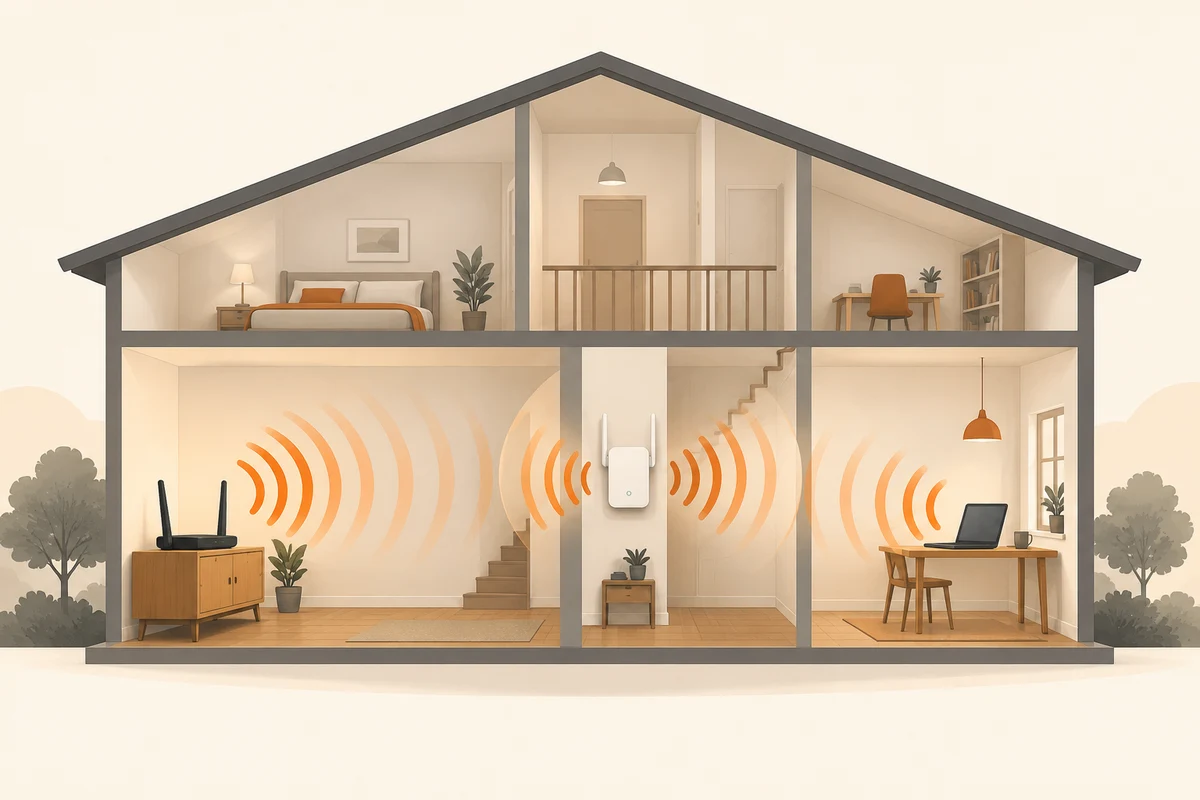
Two wireless paths instead of one
A repeater is often plugged directly into the room where Wi-Fi barely arrives. It is then close to the laptop but may receive the same weak connection itself. When its upstream link is wireless, it must still exchange data with the router. Both the router-to-repeater and repeater-to-device paths matter.
Begin with a position between the well-covered area and the troublesome room. A spare socket is only a practical consideration; it says nothing about reception quality. Inspect the repeater's link indicator or the manufacturer's placement application. That information is more useful than proximity to the desk alone.
Do not insist on the geometric midpoint
Halfway is a starting point rather than a physical guarantee. A substantial wall near the destination may matter more than several metres of open hallway. Compare two or three nearby suitable positions. Keep the client device at its intended working location and move only the repeater, preserving a comparison whose result you can interpret.
Observe a representative activity for a while rather than opening one webpage once. Note disconnections or substantial fluctuations. Where possible, check which access point the client is actually using. Otherwise, you may be testing a direct router connection while believing that you are evaluating the new route through the repeater.
The return path may use a cable
Some repeaters can operate as access points with an Ethernet connection upstream. That removes the wireless return leg and changes the placement constraints. The particular device must support this mode and be configured accordingly. A network socket on the case does not by itself establish every supported function.
If no wireless location serves both sides well, a different connection method may be preferable to chaining more repeaters. Additional wireless hops can complicate capacity and troubleshooting. Consider the complete route back to the router rather than only the final visible link to the laptop.
Once placement works, check ventilation, access and everyday use of the socket. A power strip that is regularly switched off can resemble an intermittent network fault. Label the device if helpful and record its intended connection. The arrangement then remains understandable when furniture moves or somebody needs that socket for another appliance. A successful repeater installation is one that retains a usable upstream link and stays reliably powered, not merely one that displays a strong signal beside it.