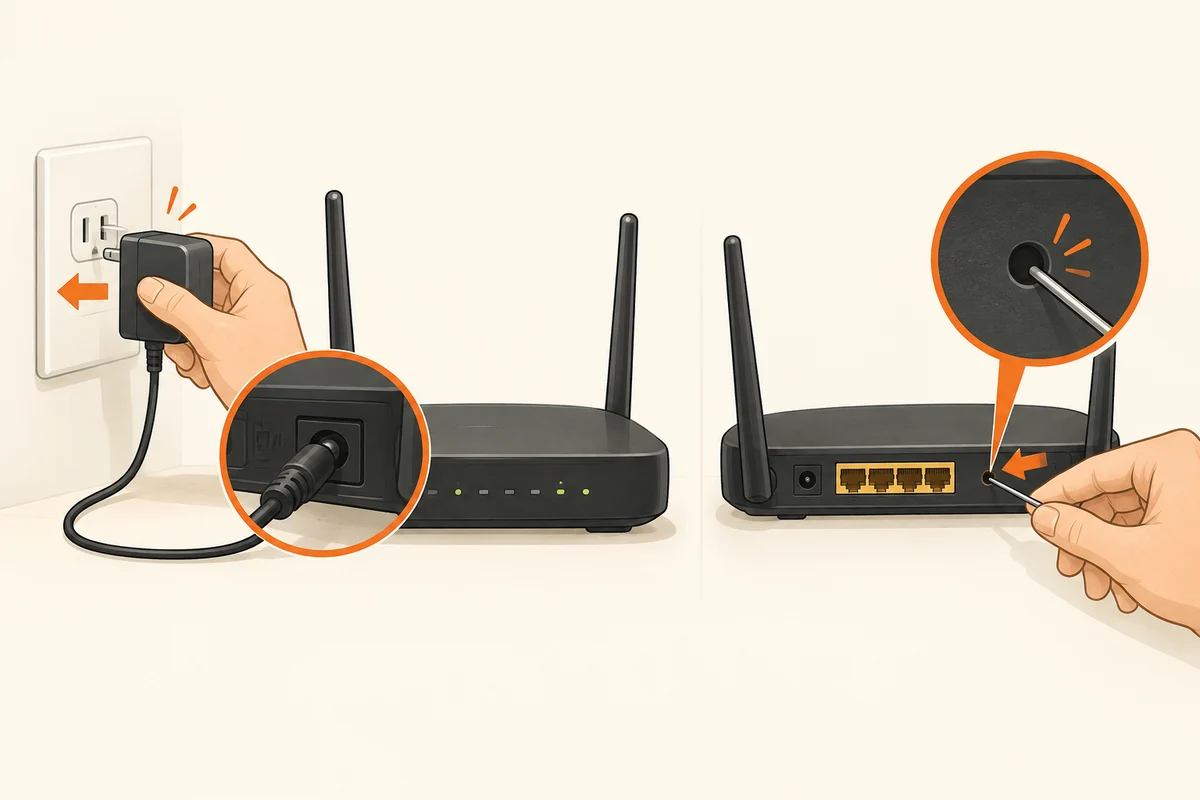
Do not choose the button by instinct
A router is behaving unexpectedly and there is a small reset button on the back. That button is not automatically the right control for an ordinary restart. A factory reset can remove saved settings, whereas a normal restart starts the device again with its existing configuration. The manual for the exact model explains which control does what.
Read the label and documented operation before pressing anything. Some buttons perform different actions depending on how long they are held. Do not keep holding a button simply because nothing appears to happen immediately. That can turn a connection problem into a complete setup job.
Restart in a controlled way
Tell other people using the connection. Router-based telephone services, uploads and video calls may be interrupted. If the management interface is available and provides a restart command, use the intended function. Otherwise follow the manufacturer's procedure for disconnecting power, taking care not to unplug the wrong adapter.
After power returns, the router needs time to establish its connections. The first illuminated indicator does not necessarily mean every service is ready. Wait for the documented operating state and then try a simple task. Repeatedly switching the device off during startup makes the symptoms harder to follow and is not a useful diagnostic method.
If restarting fixes the problem only briefly, record the pattern. Does it recur after a particular interval, under load or only on one device? Those observations help more than an undocumented daily restart. The provider may also have an outage outside the router.
A factory reset needs preparation
A reset is a different operation. Connection credentials, telephone settings, wireless names and custom network rules may need to be entered again. Save the configuration where the manufacturer supports it and check that required details are available. For a managed or provider-configured router, ask the relevant support team which procedure is intended.
Do not reset during a firmware operation. After a necessary fresh setup, check connected devices and security settings again. A computer remembering the former wireless name is not automatically connected to the replacement network. Choosing between restart and reset is a decision about the change you intend to make, not about how frustrating the original problem feels.